Skip to content
Ethos Manual
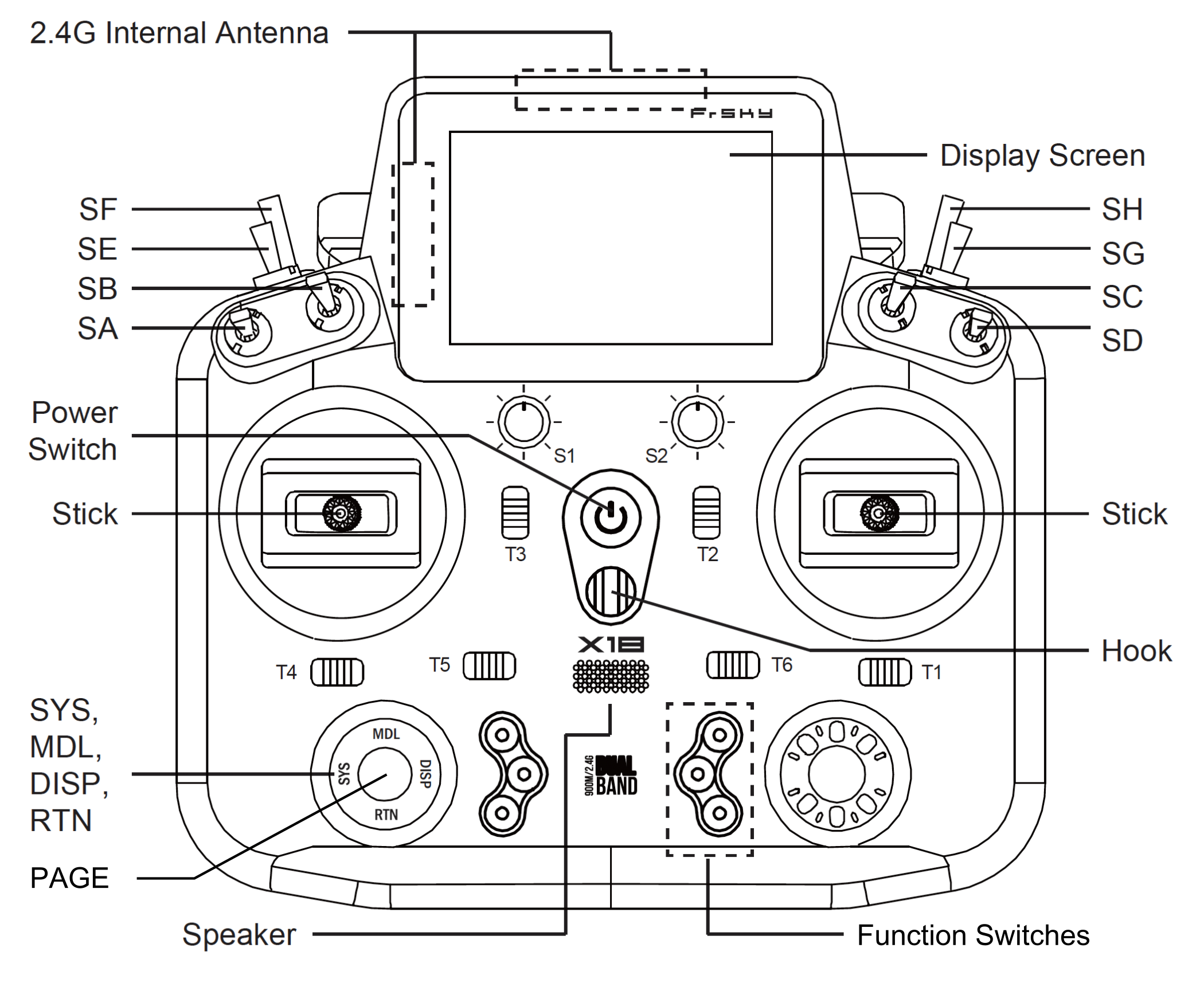
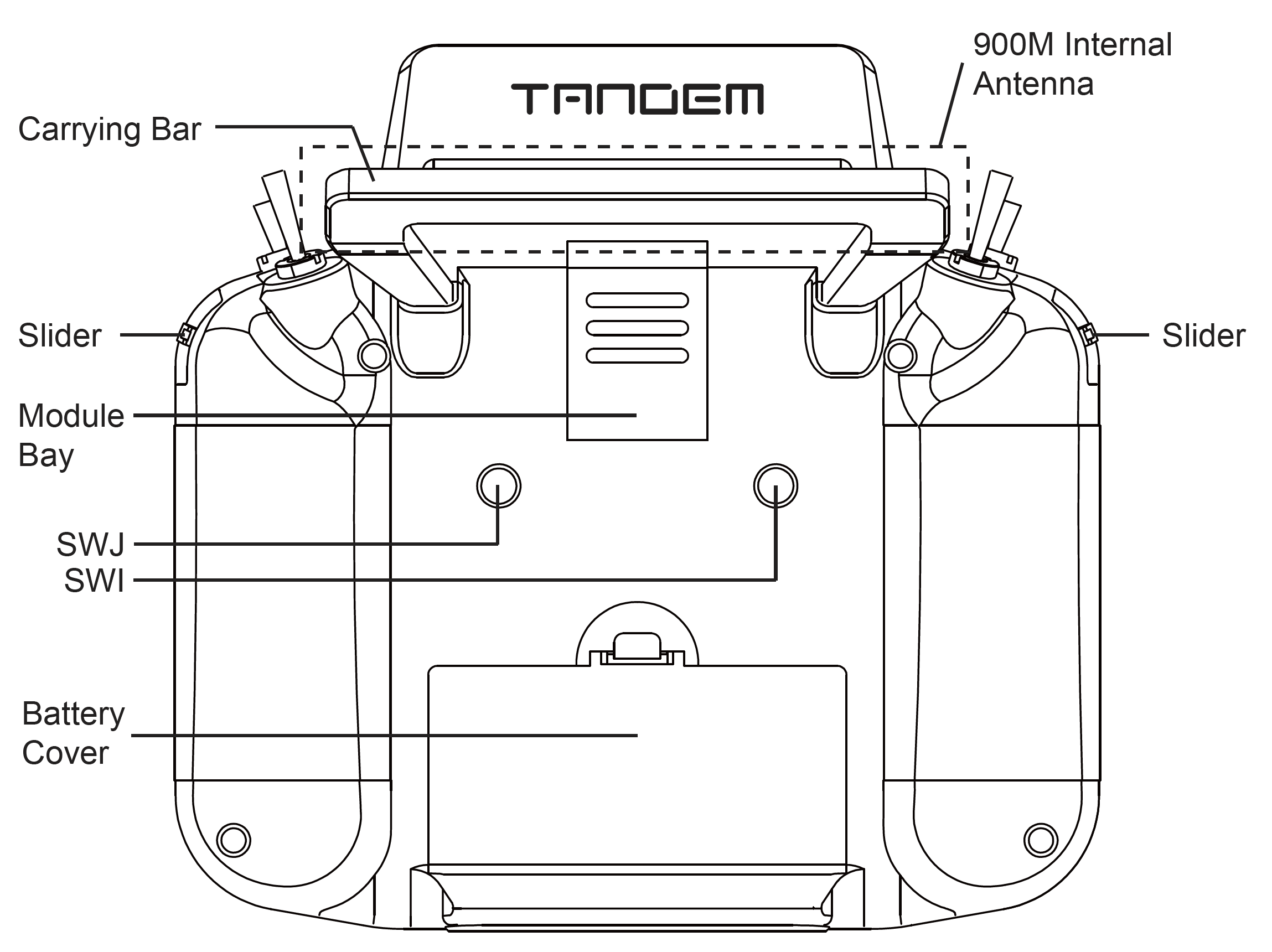
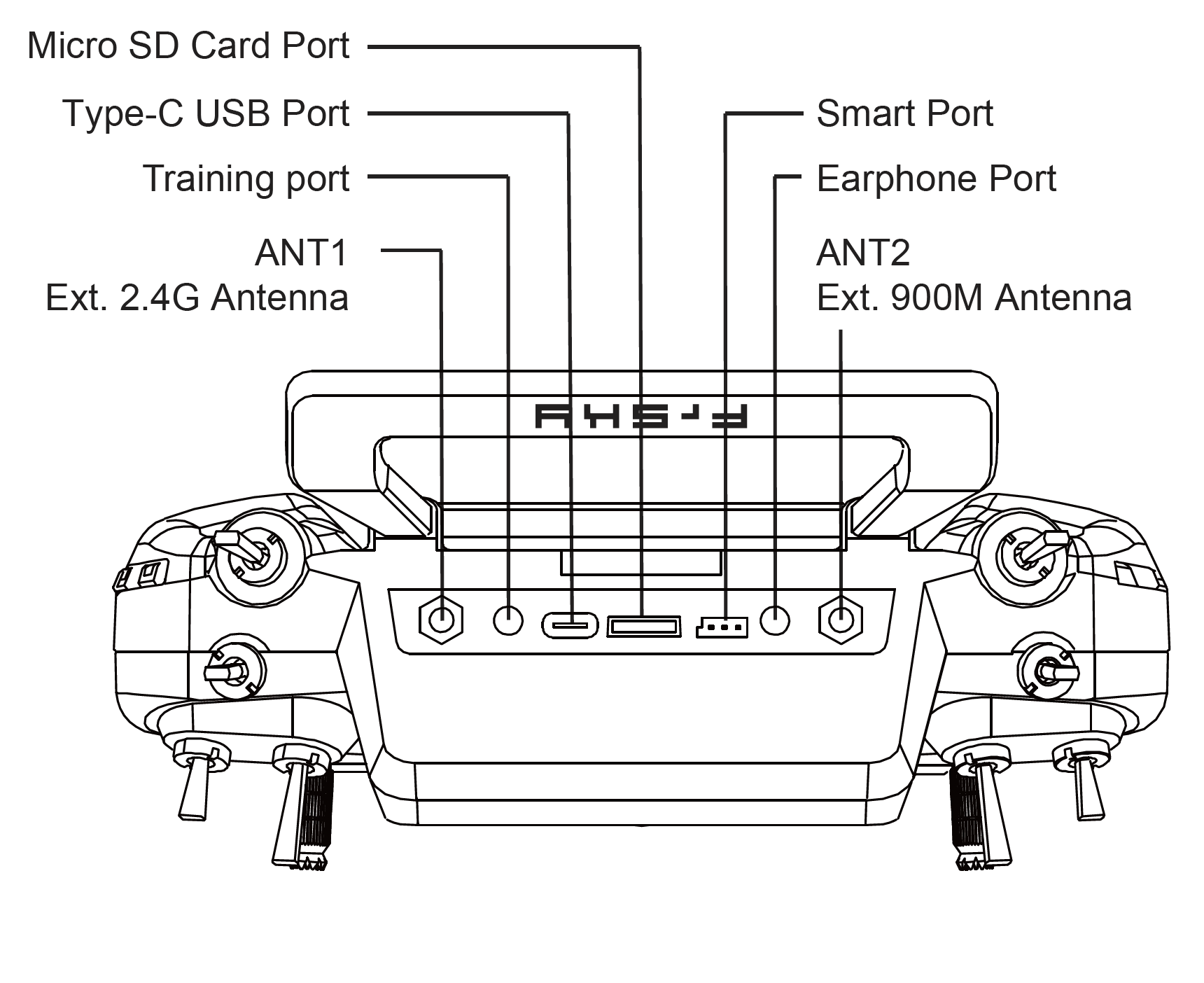
X18/X18SE Layout
English
Français
Initializing search
FrSkyRC/ethos-manual
Ethos Manual
FrSkyRC/ethos-manual
Home
X20/X20S Layouts
X20 Pro Layout
X20 Pro AW Layout
X20R/RS layout
X18/X18SE Layout
XE/XES/XE RS Layouts
X14/X14RS
TWIN XLite
Main Views
Main Views
Initial main view
Configured main view
User Interface and Navigation
User Interface and Navigation
Reset menu
Lock touchscreen
Editing controls
USB Connection To PC modes
USB Connection To PC modes
Power Off mode
Bootloader mode
Power On mode
Emergency Mode
Emergency Mode
Emergency mode test
System Setup
System Setup
Overview
File manager
Alerts
Date and Time
General
Battery
Hardware
Sticks
Device config
Info
Model Setup
Model Setup
Overview
Rearranging the model menu
Model select
Edit model
Flight modes
Mixes
Channels
Timers
Trims
RF System
Telemetry
Checklist
Logic Switches
Special Functions
Curves
Variables (Vars)
Trainer
Glasses
Lua
Configure Screens
Configure Screens
Configuring the main screen
Standard widgets
Adding additional screens
Managing main screens
Adding custom widgets
Lua Scripts
Lua Scripts
ETHOS Lua interpreter
ETHOS Lua documentation
ETHOS Lua example script files location
Lua scripting configuration limits
Structure of a Lua widget
Alternative Lua display themes
Programming Tutorials
Programming Tutorials
Initial radio setup example
Basic Fixed Wing Airplane example
Basic Flying Wing (Elevon) Airplane example
Basic Flybarless Helicopter example
'How To' section
Emphasis
FrSky Suite
FrSky Suite
Overview
Procedure for migrating to FrSky Suite
Operation
Command line operation
Ethos Web Simulator
Appendix A - Conversion of Ethos models from 1.6.x to 26.1.x
Appendix A - Conversion of Ethos models from 1.6.x to 26.1.x
Overview
There are 3 scenarios:
X18/X18SE Layout

Back to top